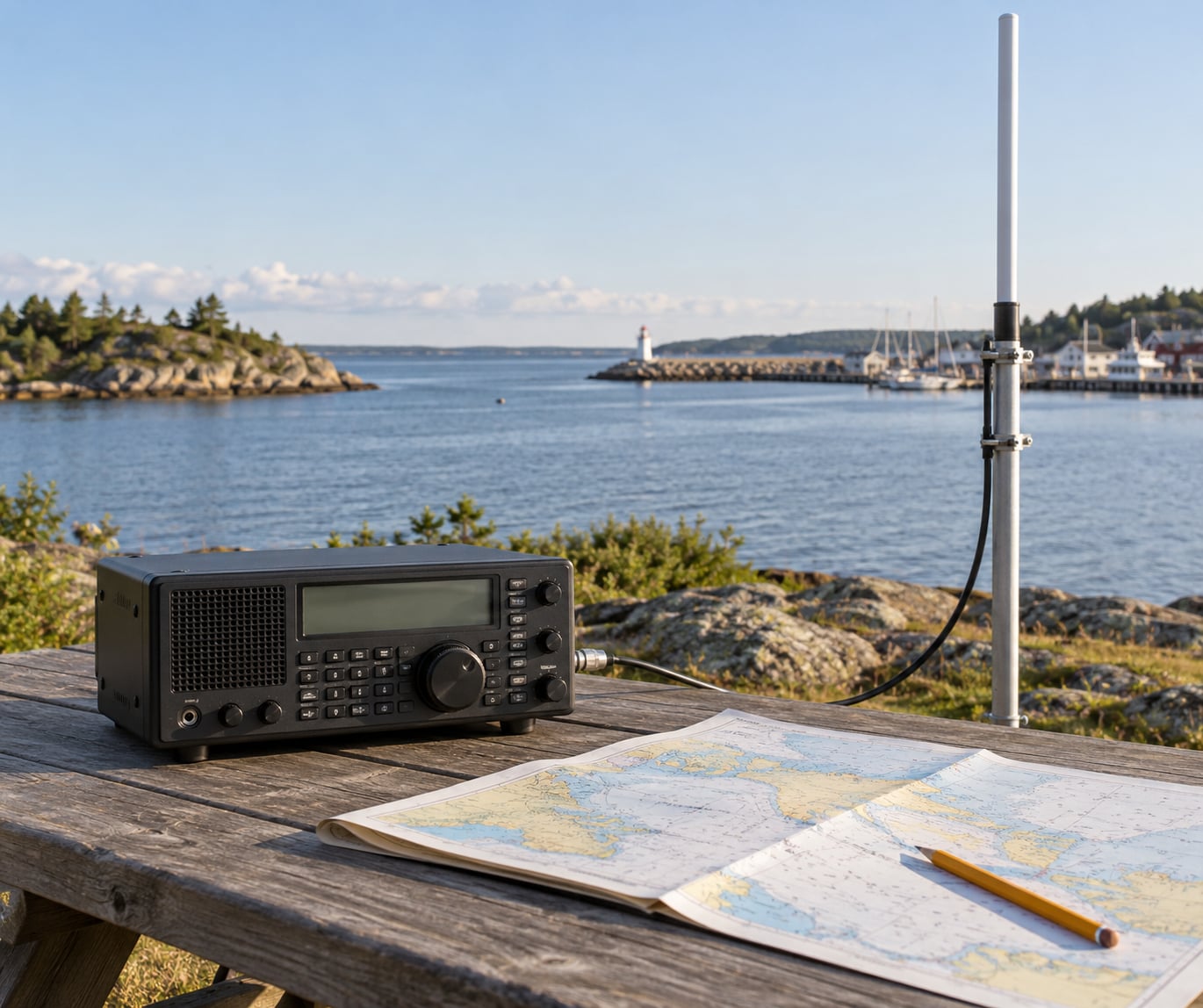
To receive marine VHF broadcasts you need a receiver that covers 156.000 to 162.050 MHz in analog FM mode, an antenna for that band mounted as high as you can get it, and a list of marine channels to program in. Set the squelch just past the hiss, start on Channel 16 at 156.800 MHz, and listen. Most of the work is in the antenna, not the radio.
Marine VHF is the voice band that vessels, marinas, bridges and the US Coast Guard use to talk to each other. It carries the traffic you would want in an emergency, the weather and hazard warnings you would not get from a phone, and the ordinary back-and-forth of a working harbour. It is also, for a lot of people, the most interesting thing on the radio at all.
Two groups search for this and they need different gear. Boaters want a radio that transmits, because a scanner cannot call for help. Listeners on shore want receive-only gear and a good outdoor antenna, and a scanner is entirely adequate for that. This guide covers both, with the emphasis on actually getting reception, which is where most people get stuck.
Table of Contents
- 1What You Need to Receive Marine VHF Broadcasts
- 2Step-by-Step: How to Receive Marine VHF Broadcasts
- 31. Choose a radio that covers the marine VHF band
- 42. Select the right antenna
- 53. Find the correct marine channels
- 64. Tune the radio and adjust the controls
- 75. Improve reception indoors and outdoors
- 86. Confirm that you are receiving marine traffic
- 9Common Mistakes That Kill Marine VHF Reception
- 10Frequently Asked Questions
- 11Can I receive marine VHF broadcasts with a ham radio?
- 12What antenna is best for receiving marine VHF broadcasts?
- 13Do I need a marine radio to listen to US Coast Guard traffic?
- 14Why does my marine VHF reception sound noisy or unclear?
- 15Is Channel 16 the only marine VHF channel I should monitor?
- 16Can I listen to marine VHF broadcasts with a handheld scanner?
- 17Conclusion: Set the Antenna, Then Listen on Channel 16
What You Need to Receive Marine VHF Broadcasts
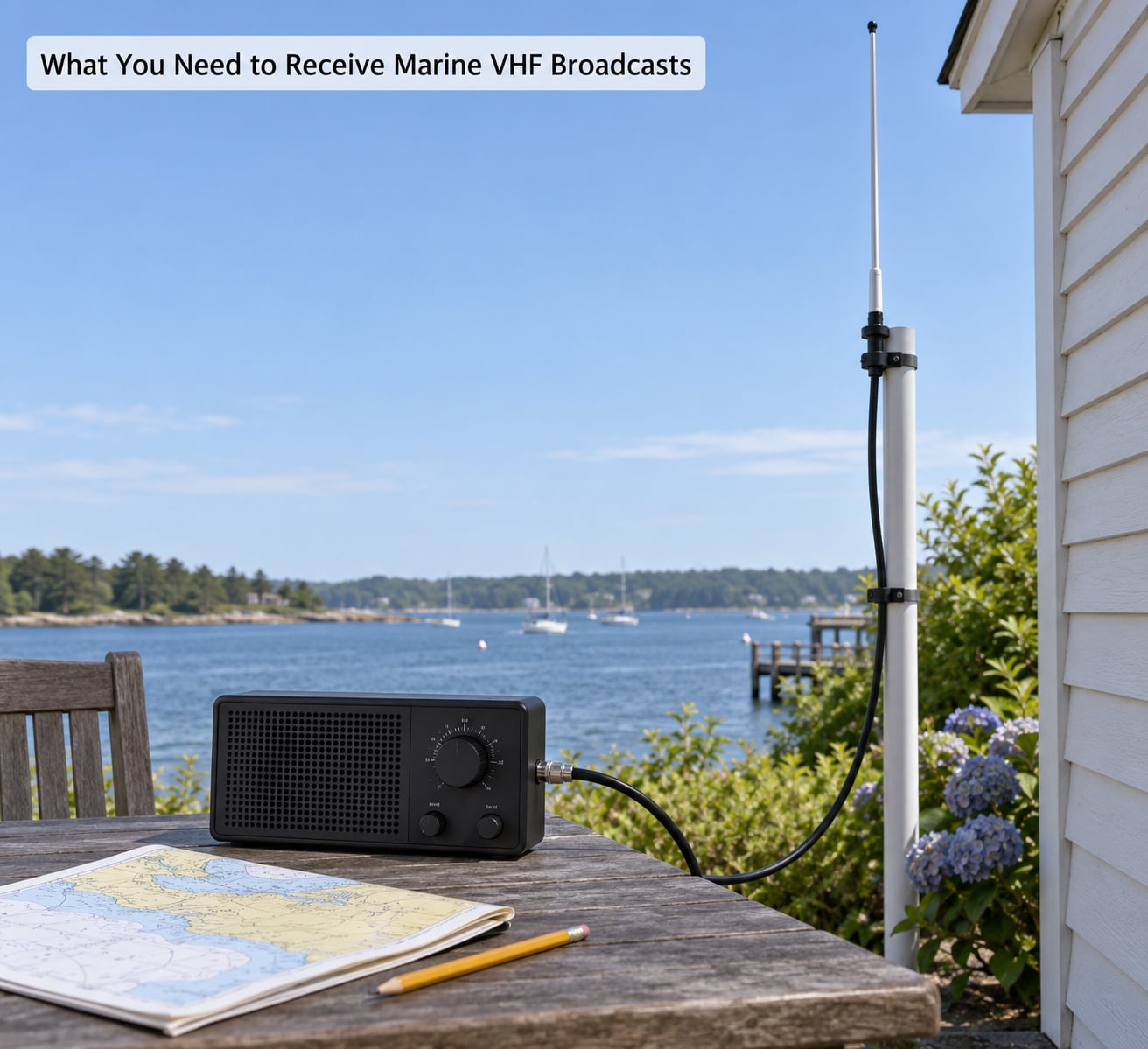
Four things decide whether you hear marine traffic: a receiver that covers the band in the right mode, an antenna tuned to 156 to 162 MHz, a low-loss coax run, and a clean power supply. Take any one of them away and the reception collapses.
The radio is the piece people over-think. Marine voice is plain analog FM, so you do not need a trunking scanner, a digital voice decoder, or a radio that speaks AIS. Any receiver that tunes 156.000 to 162.050 MHz in FM will hear it, and that includes a general coverage receiver, an RTL-SDR dongle, and most ham transceivers with the marine band enabled.
| Receiver type | Coverage | Portable | Good for |
|---|---|---|---|
| Handheld scanner | 156-162 MHz with the right antenna | Yes | Cheap first look at the band, but sensitivity at VHF is often disappointing |
| Desktop scanner | Programmable marine search bank, priority channels | No | Reliable shore listening and long-term monitoring from a fixed position |
| General coverage receiver | Wide coverage including shortwave and air band | Some models | Listeners who want marine traffic and everything else on one set |
| Wideband SDR | Anywhere in the receiver’s instantaneous bandwidth | Mostly desktop | Recording, logging and watching a whole marina block of spectrum at once |
| Ham transceiver | All bands, marine channels often on a memory key | Varies | Boaters and hams who want to transmit on marine channels legally |
The antenna is where the real gain sits. A marine-band whip on a mast, pole or rooftop will bring in traffic a desk scanner with its stock rubber duck never hears. Height matters more than amplifier wattage, and every forum thread on the subject arrives at the same conclusion: any scanner will pick up boats, but it is all in the antenna.
Supporting gear is simple. Use quality coaxial cable with a PL-259 or NMO connector rather than the thin RG-174 that came with the receiver. A USB radio wants a decent powered hub, because an underpowered port is a common reason a cheap dongle hears nothing at all. Optional extras that genuinely help: an antenna mast and mounting hardware, a grounding point, a NOAA weather receiver if your radio lacks it, and a power supply with a real backup battery if you plan to keep listening through an outage.
One safety point before anything else. A receive-only scanner is not a marine radio. It cannot transmit a Mayday, and it cannot send a DSC distress alert. If you are going out on the water, you still need a licensed, DSC-equipped marine VHF radio aboard. Listening is useful. In an emergency, receiving is not enough.
Step-by-Step: How to Receive Marine VHF Broadcasts
1. Choose a radio that covers the marine VHF band
Marine VHF in the US runs from 156.000 MHz to 162.050 MHz. That is the number to check first, because a lot of gear is advertised as covering 156 to 174 MHz, which runs well past the marine band and leaves you scrolling through empty spectrum. The upper edge matters too: NOAA weather broadcasts sit at 162.400 to 162.550 MHz, so you want coverage past 162.6 to get those.
Three radio families cover the band. A marine-band scanner has the channels already organised in a search bank, which saves programming time. A general coverage receiver lets you dial an exact frequency, which is better when you are chasing a specific channel or logging activity. A ham transceiver does both and adds the ability to transmit, which matters if you hold an operator licence and want to reach a marina or another boat.
Modulation matters as much as coverage. Marine voice is narrowband analog FM. A receiver locked to wideband FM, or one that will not demodulate FM at all, will either sound muffled and distorted or stay silent. If a channel sounds like a recording played through a tin can, you are on the wrong bandwidth.
2. Select the right antenna
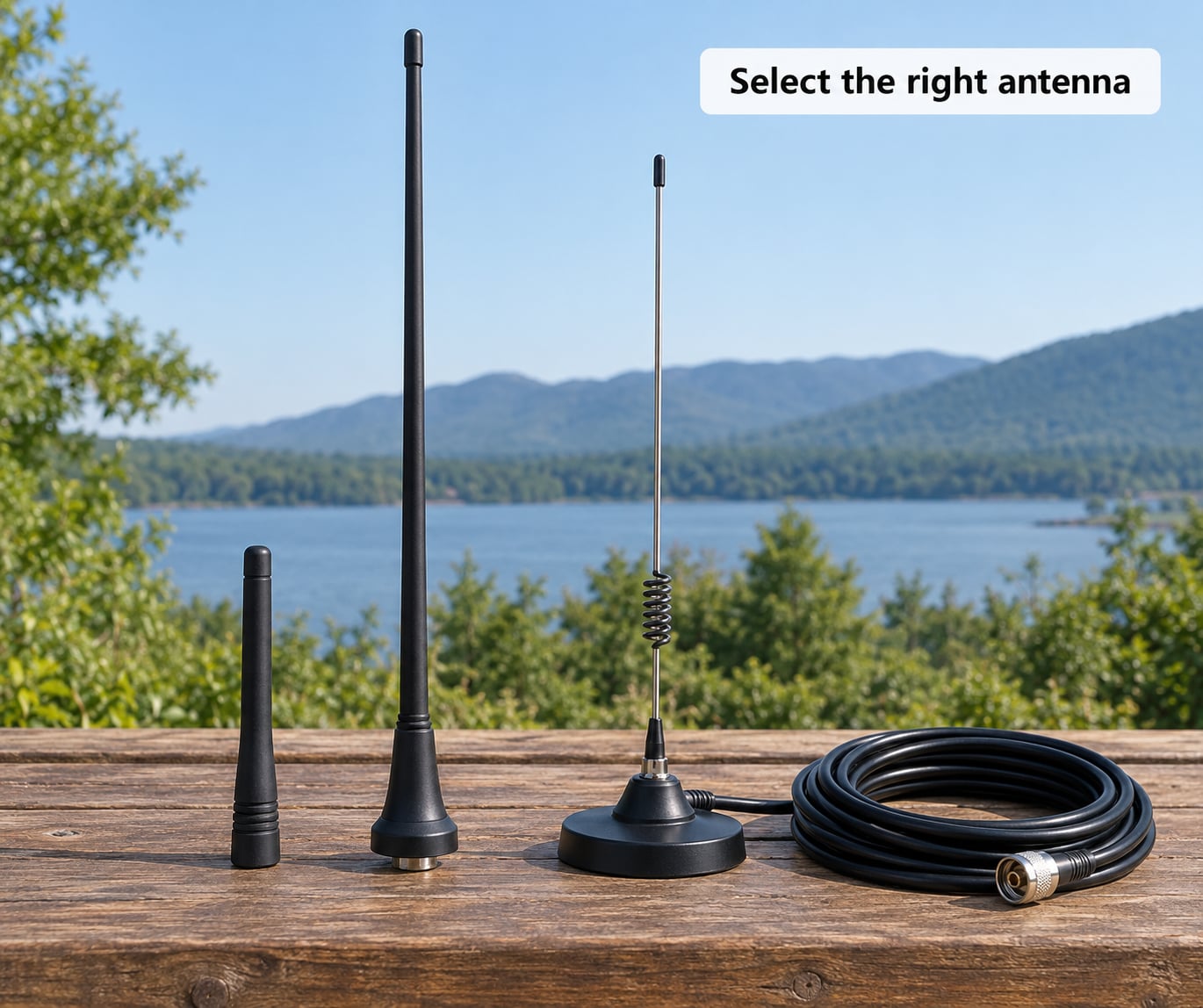
Whip antennas come in four useful forms. The rubber duck on a handheld or a cheap desktop scanner is the shortest and the least effective, and at desk level it may not hear a busy marina two miles away. A quarter-wave whip is the baseline: roughly 48 cm for the marine band, cut or factory-tuned, and a large improvement on a duck. A mobile antenna with a magnetic NMO stud mount is a good middle option for a vehicle or a metal rooftop, where the vehicle body acts as the ground plane. A ground-plane antenna with radials is worth building if you want a stable base station pattern, though at VHF most listeners do better simply buying height.
Height is the number one variable, because VHF is line-of-sight. The radio horizon works out to roughly 4.8 km per metre of antenna height on the transmit side and the same on the receive side, so a 30 metre rooftop antenna pairs with a vessel mast of similar height to give a path of about 60 km in flat conditions. A desk-height indoor antenna with a 3 metre antenna across the bay might manage 20 km, and only if the buildings are not in the way. This is why a rooftop whip beats a desktop with a built-in amplifier.
Polarization matters less than most antenna marketing implies, but matching does not hurt: marine mobile and fixed antennas are vertical, so a vertical whip is the right choice. Ground your mast if you can, both for safety and to keep the coax shield from acting as an antenna that picks up interference.
Keep the antenna away from metal. Chimneys, roof-mounted air conditioners, satellite dishes, overhead power lines and long runs of unshielded wiring all degrade reception. If your only location is indoors, get as close to a window as possible and try different walls before you conclude the band is quiet.
3. Find the correct marine channels
Channel 16 at 156.800 MHz is the international distress, safety and calling channel, and it is the first frequency any listener should put in the radio. Working channels carry the rest of the traffic. Here is the reference list that searches usually send you off-page to download, in one table instead.
| Channel | Frequency | Use |
|---|---|---|
| 16 | 156.800 MHz | International distress, safety and calling. Vessels and the Coast Guard keep a listening watch here. |
| 09 | 156.450 MHz | Bridge and lock requests, plus a second calling channel in the US |
| 13 | 156.800 MHz | Bridge and lock working channel, US waterways |
| 06 | 156.300 MHz | Inter-ship safety communications |
| 08 | 156.400 MHz | Inter-ship, marina and club traffic |
| 12 | 156.600 MHz | Port operations, USCG and pilot traffic |
| 72 | 156.600 MHz | Port operations, non-commercial working channel |
| 77 | 156.175 MHz | Private communications, US recreational use |
| 69 | 156.390 MHz | Recreational boating, US only |
| 70 | 156.350 MHz | Digital Selective Calling data, not voice |
| NOAA | 162.400-162.550 MHz | Continuous NOAA marine weather broadcasts |
Channel assignments are the international plan in the US, UK and Europe, but usage varies by country, waterway and vessel. Channel 16 is a hailing and calling channel, not a conversation channel; the convention is to hail, get a working channel assigned, then move off. Private ship-to-ship calls on channels like 77 are ordinary conversation, and hearing them is legal but the etiquette is not to answer or rebroadcast.
Do not be alarmed when Channel 70 is silent. DSC on 156.350 MHz is digital data, not voice, and a scanner or SDR in voice mode will show nothing there even while distress alerts are being sent. The same applies to AIS, which is a separate digital system on 161.975 and 162.025 MHz and needs its own decoder.
The US Coast Guard also uses private channels marked with CG, LANT and NET prefixes, and a UHF band from 406 to 420 MHz that never appears on a standard marine channel list. You will not find those in a scanner’s marine search bank, which is normal and not a fault in your setup.
4. Tune the radio and adjust the controls
Put the radio into frequency mode, tune to 156.800 MHz, and switch the bandwidth to 12.5 or 25 kHz. A clear marine signal is loud, has no hiss between words, and holds steady on the S-meter as the transmitting vessel moves. A weak signal reads low on the meter, drifts, and breaks up into hash as the words end.
Open the squelch slowly from fully closed until the hiss just stops, then back off a touch further. Stop there. Cranking squelch all the way up is the single most common reason a first-time listener hears nothing but believes the band is dead. A well-set squelch lets weak distant signals through and still keeps the band quiet between transmissions.
Set volume so a strong nearby transmission is comfortable without pinning the meter, and do not ride the gain control to make signals appear stronger. Leaving RF gain wide open raises the noise floor and makes weak signals less readable, not more. If a distant station is fading, the fix is the antenna, not the gain knob.
On a scanner, put Channel 16 in the priority slot so it is checked constantly while other channels scan, and program the working channels you actually want. On an SDR, start with a wide view of the band and zoom in on 156.800 to see the transmissions sit in their assigned slots.
5. Improve reception indoors and outdoors
At home, the difference between reception and silence is usually a metre of altitude. Start with the radio near a window on an upper floor, then move it. If that helps, the next step is a coax run to a whip in the attic or on the roof, and a short jumper inside. Keep the total cable run short; coax loss at 156 MHz is modest, but a fifty-metre run of thin cable on a marginal antenna will not help.
In a vehicle, a magnetic NMO mobile antenna on the roof or a window mount works far better than the duck that came with the scanner, because the car body supplies the ground plane the antenna needs. Do not mount it near an antenna on the roof of a modern vehicle without checking, since some glass roofs and some factory antennas interact badly.
On a boat, height is everything. A mast-top antenna at the highest point of the mast is where the range comes from, and a second antenna on the arch or a handheld in the cabin covers the cases where the mast is down. Sails and rigging can detune a mast-mounted whip, so check the SWR after raising the sails.
Portable operation is the least forgiving, and the fix is always the same: get the antenna above the people and the electronics. Interference from computers, LED lighting, switch-mode power supplies and cheap wall chargers is a real cause of noisy reception indoors, and so is a USB port on a marginal power supply.
6. Confirm that you are receiving marine traffic
You will know you have marine traffic when you hear the format. A Coast Guard broadcast ends with the station callsign and “over”, and routine calls give a vessel name and a channel. A radio check is a short hail asking any station in range to acknowledge: “Riverbend, Riverbend, this is Sea Lark on channel 16, radio check, over.” Hearing one confirms your reception end to end.
Log what you hear if the traffic is worth keeping. Write down the time, channel, station callsign and a one-line summary, or record the audio from an SDR with a timestamp. Harbor offices and radio-monitoring hobbyists both use the same habit, and it is how you notice that a channel is busier at a particular tide or weather pattern.
Compare signal strength in different positions before you blame the radio. Walk the same transmission between the window, the attic and the roof and watch the S-meter. If the meter moves, the answer is placement, and no amount of receiver tweaking will substitute.
Keep the legal and ethical line clear. Listening to marine VHF in the US needs no licence, and rebroadcasting traffic or answering a private ship-to-ship call is not yours to do. Commercial traffic is off limits for anything beyond listening, and the law around transmitting on marine channels from shore is stricter than people assume.
Common Mistakes That Kill Marine VHF Reception
Wrong bandwidth or modulation. Wideband FM on a channel spaced 25 kHz apart sounds compressed and distorted. Match the filter width to the channel spacing.
An antenna that does not cover the band. Marketing figures that say 130 to 170 MHz are fine in principle, but a cheap wideband stub antenna cut for the middle of that range is wrong for 156 to 162 MHz. Check that a real marine-band whip is what you are holding.
Antenna at desk height. The single biggest cause of silence indoors. A quarter-wave whip in the attic beats a receiver with a built-in amplifier on a table, every time.
Long or cheap coax, and connectors that are not soldered. Use real PL-259 terminations rather than screw-on fittings, keep the run short, and do not pinch the cable at a window edge.
Squelch turned too high. Open it until the hiss stops, then leave it a touch lower. If you turn it up to hide noise, you hide signals with it.
Weak USB power. An SDR dongle on an unpowered port may enumerate but receive poorly or not at all. A powered hub fixes it more often than any software change.
Mistaking static for a distant signal. Noise hisses continuously and does not resolve into words. A real marine signal snaps into a voice, and a weak one fades in and out as the vessel moves.
Expecting every channel to be busy. The marine band is quiet at night and on a weekday morning. Silence on Channel 16 in an empty stretch of water means nobody is talking, not that your setup is broken.
Waiting for voice on Channel 70. It carries DSC data only. A scanner in FM voice mode will never show it, and that is normal.
The fix list is short, in practice. Put a proper marine-band antenna as high as you can, keep the coax run short and well terminated, set squelch correctly, and program Channel 16 first. After that, listen long enough to be patient, because the band rewards patience more than gain.
Frequently Asked Questions
Can I receive marine VHF broadcasts with a ham radio?
Yes, usually with no changes at all. Most amateur transceivers cover 146 to 148 MHz, 222 to 225 MHz and 420 to 450 MHz out of the box, but many have a marine band option that adds 156 to 162 MHz. Enabling it puts the marine channels on a memory key, often labelled 16. Listen freely, but transmitting on marine channels requires the right authorisation and the right station identification.
What antenna is best for receiving marine VHF broadcasts?
A quarter-wave whip tuned to the marine band, mounted as high as you can manage. For a fixed home setup that means a rooftop or attic mast with a vertical whip and a short, low-loss coax run. Advertised gain figures on small marine antennas are unreliable, so judge them on height and construction quality. A mobile NMO antenna is the practical choice for a vehicle.
Do I need a marine radio to listen to US Coast Guard traffic?
No. Monitoring Coast Guard marine safety information and weather broadcasts needs no licence and no special equipment, only a receiver covering 156 to 162 MHz. What you cannot do with a scanner is call them. Any vessel going on the water still needs a licensed, DSC-equipped marine VHF radio that can transmit a Mayday and send a distress alert, because receiving is not the same as being able to respond.
Why does my marine VHF reception sound noisy or unclear?
Three causes account for most of it. The wrong bandwidth, with wideband FM on a narrow channel, sounds muffled and distorted; match the filter width to the 25 kHz channel spacing. RF gain turned too high raises the noise floor and makes weak signals harder to read. And an antenna at desk height under a roof, which is the usual culprit indoors. Moving the antenna up fixes more noise problems than any receiver setting.
Is Channel 16 the only marine VHF channel I should monitor?
No. Channel 16 at 156.800 MHz is the distress, safety and calling channel, and it is the right first choice. Working channels carry the real conversation, including bridge and lock requests on channel 09 at 156.450 MHz and port operations traffic on channels 12 and 72. For weather, the NOAA broadcasts at 162.400 to 162.550 MHz are continuous and worth running alongside.
Can I listen to marine VHF broadcasts with a handheld scanner?
You can, but the stock antenna is usually the weak point. Most handheld scanners use a low-gain rubber duck tuned for the middle of the VHF range, which performs poorly at 156 to 162 MHz, and forum reports of disappointing sensitivity on the marine band are common. A desktop scanner or a general coverage receiver with a real marine-band antenna will hear considerably more. A handheld is fine for confirming the band is active near a marina.
Conclusion: Set the Antenna, Then Listen on Channel 16
If you only do three things, do these. Choose a receiver that covers 156.000 to 162.050 MHz in analog FM, put a quarter-wave marine-band antenna as high as you can reasonably mount it on a short run of good coax, and tune to Channel 16 at 156.800 MHz with the squelch set just past the hiss. Everything else in this guide is refinement on that setup.
Then give it time. A quiet channel at 6 am on a weekday means the water is empty, not that you have failed, and the traffic you came for will arrive with the first bridge opening, the first weather run, or the first boat asking for a dock. Once Channel 16 is comfortable, add the working channels and the NOAA band, and the marine band will reward you for years.