To pick up utility stations on HF, tune to the right frequency, select the right sideband and bandwidth, and listen during the window when that service is actually active. Utility stations — the aviation, maritime, government and time-reference services that listeners call “ute” signals — share the same 3 to 30 MHz range as shortwave broadcasters, so knowing where and when to look is the whole skill. A first session takes about half an hour, and a decent receiver is more important than an expensive antenna.
HF simply means high frequency, the band from roughly 3 to 30 MHz that sits just above medium wave. Everything in this guide happens inside that range, where a signal can skip hundreds of miles after sunset and vanish before breakfast. That changing behaviour is why so many people try once, hear nothing but broadcaster music, and quit.
I have watched the same cycle repeat with new listeners more than once: they park on a frequency from a decade-old list, hear a time-shared broadcaster, and decide HF is dead. Nothing is dead. They were simply in the wrong place at the wrong time with the wrong filter width. Fix those three things and the band fills up.
Table of Contents
- 1What You Need
- 2Step-by-Step: How to Pick Up Utility Stations on HF
- 3How to Pick Up Utility Stations on HF Bands and Times
- 4Scan Slowly and Record What You Hear
- 5Improve Weak or Noisy Reception
- 6Confirm the Station and Avoid False Identifications
- 7Common Mistakes
- 8Frequently Asked Questions
- 9What HF bands are best for hearing utility stations?
- 10Do I need a long-wire antenna to receive utility stations?
- 11What receiver settings work best for weak HF signals?
- 12How can I tell whether a signal is a utility station or interference?
- 13Can I legally monitor utility stations without a ham radio licence?
- 14Why does the same utility frequency work at one time and not another?
- 15Conclusion
What You Need
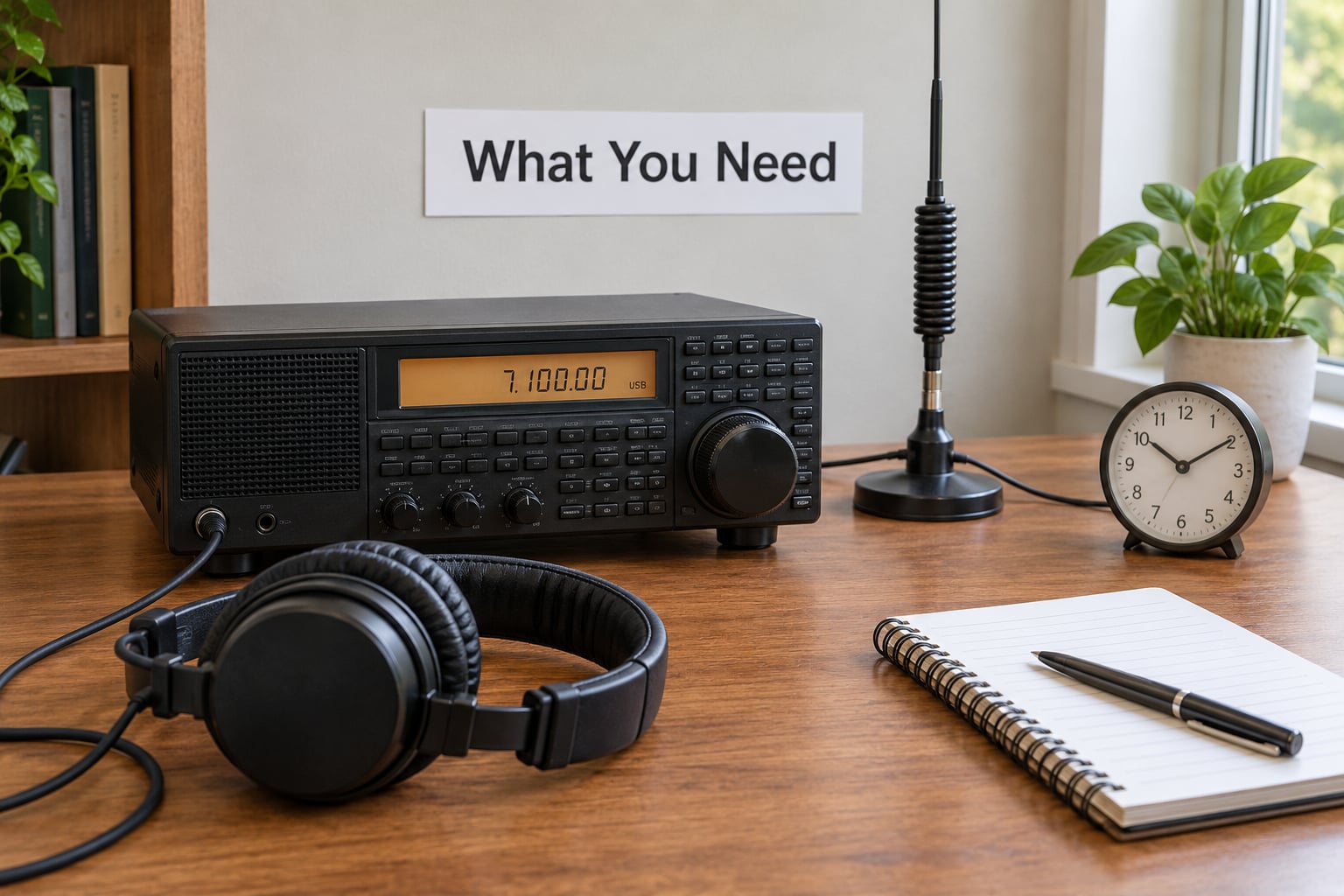
You need far less gear than the forums suggest. Here is the honest list, in the order it matters.
- An HF-capable receiver or transceiver. It must do SSB and CW at minimum. A world-band set with only AM will not hear aeronautical or government voice traffic. DSP filtering is a real advantage at these signal levels.
- An antenna that is actually outdoors. A wire above the roof, a longwire, a dipole, or a terminated loop. Indoor whip antennas rarely clear the local noise floor.
- Headphones. Utility signals are quiet, and household speaker noise from a laptop or TV will bury them.
- A clock set to UTC. Utility schedules are published in UTC, and guessing your offset is how people miss the window.
- A notebook or logging program. Frequency, UTC, mode, and what you heard. Paper beats software on the first few sessions.
- Optional but useful: a narrow CW filter, a second receiver for comparing notes, an attenuator, and a remote SDR receiver such as a KiwiSDR you can point at a better location.
Skip all of it and use a KiwiSDR for a few weeks if you are in an apartment. Plenty of listeners with no antenna at all monitor distant paths by opening a remote receiver online, and it costs nothing to find out whether you even enjoy the hobby before you mount anything.
Step-by-Step: How to Pick Up Utility Stations on HF
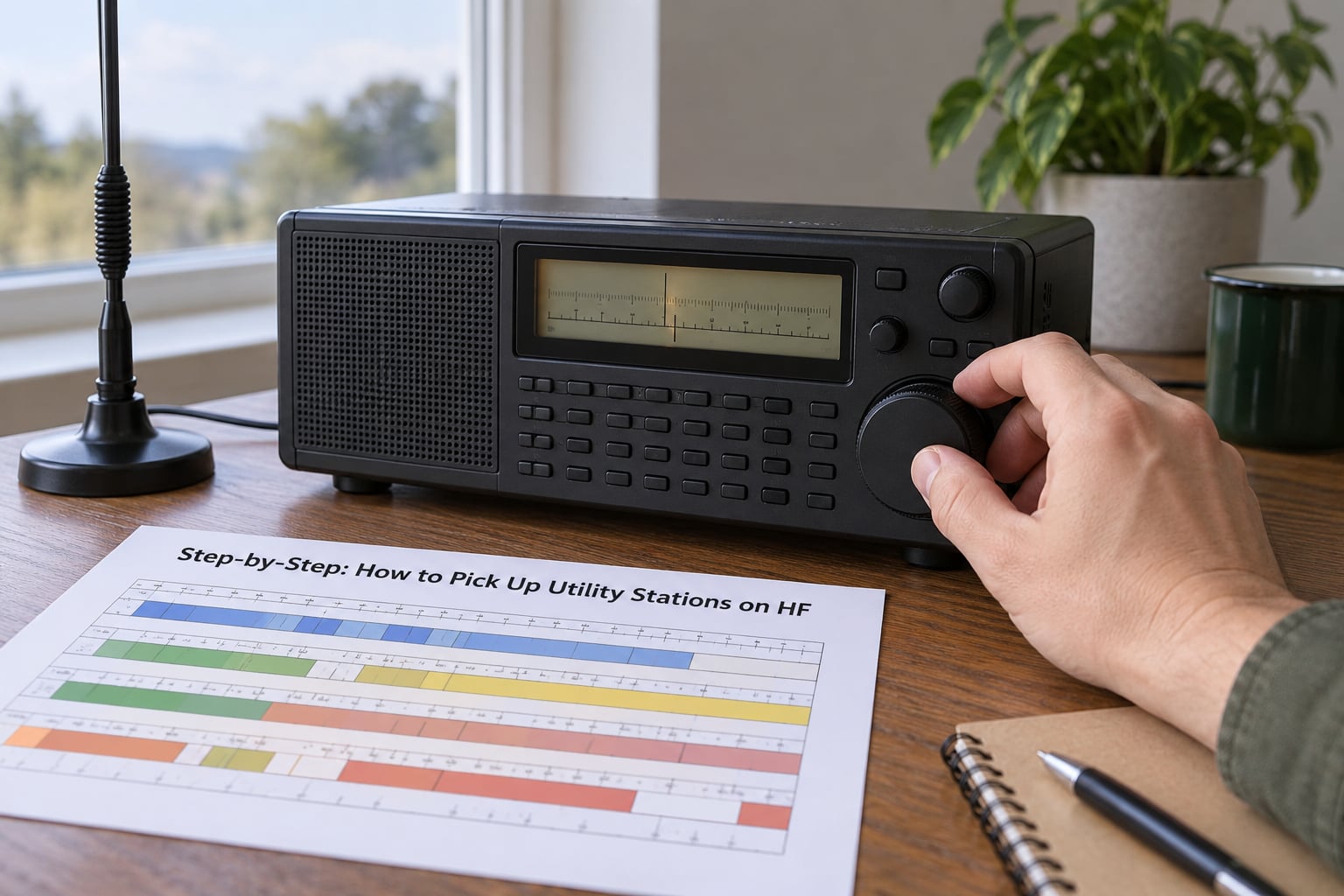
This is the sequence I hand to new listeners. Follow it in order and you will log something in one sitting.
How to Pick Up Utility Stations on HF Bands and Times
Utility traffic concentrates on the lower HF bands — around 4, 6, 8, 11 and 16 MHz — and almost all of it is designed to work over long ocean paths at night. Aeronautical air-to-ground voice sits in the lower bands, maritime traffic spreads from about 4 MHz up to 16 MHz, and government and military networks favour the 8 to 16 MHz region. Rather than trusting any list as permanent, treat published frequencies as a starting point and let the band condition decide the rest.
The timing rule is simple. Local night means long skip and distant signals, which is when the lower bands open up for faraway stations. Local day favours higher bands, where a station a few hundred miles away may be the only thing you can hear. Winter gives you more usable ionisation and better long-distance paths. The grey line around sunrise and sunset is worth watching too, because a station near your terminator can light up for you while your own side is still dark.
Start at 11030 kHz or nearby in USB during the evening if you want the classic first catch: HF aeronautical air-to-ground voice is the most forgiving entry point, because the stations are numerous, they speak plainly, and they repeat their callsigns.
Scan Slowly and Record What You Hear
Tune slowly. Most newcomers sweep a band in ninety seconds and conclude it is empty, when a utility net sitting 3 kHz below their starting point would have been readable for the entire sweep. Move the dial in small increments and give each spot five seconds of listening.
Check both sidebands. A signal that is unreadable on USB may be perfectly clear on LSB, and the reverse is just as common. Utility voice is normally upper sideband, but lower sideband still carries maritime and commercial traffic.
Match the filter width to the mode you are hearing, because that is how you identify a mode before you can name it:
- AM voice / USB: sounds like ordinary speech with a slight thin edge. Use a 2.4 to 3 kHz filter.
- SSB voice: the same voice quality, cleaner, with no carrier thump. USB filter of 2.4 kHz.
- CW: a clean monotone tone, dashes and dots. Narrow it to 500 Hz or less, or 250 Hz if your set allows.
- RTTY: a warbling multi-tone buzz that pulses in groups. Use 1.8 to 2.4 kHz.
- ALE: short two-tone chirps in bursts, almost always upper sideband. Wide filter, 3 kHz.
Log what you hear as you go: frequency, UTC, mode, signal strength, and a note on the content — a callsign, a network name, a weather report. A signal you revisit in an hour is far more useful if you wrote down when and how loud it was the first time.
Improve Weak or Noisy Reception
First decide whether you have a weak signal or just a noisy one, because they need opposite fixes. Test with a known steady carrier such as a time reference station; if that is clean and a utility signal beside it is buried, the problem is signal strength. If everything is ragged, the problem is noise.
For weak signals, move the antenna and try longer. Height beats gain on HF — a modest wire with a clear take-off angle will outperform a compact antenna stuck in a cluttered rooftop. For noise, location, feed line routing, and a proper ground return matter far more than antenna design. Experienced operators working low-band HF often reach for a directional terminated loop, which rejects a lot of local interference while staying modest in size.
Then work the receiver. Open the bandwidth just wide enough for the mode, close the RF gain until the background hiss drops back, and let the AGC settle before judging anything. Digital noise reduction can help against impulse noise and hurts on weak CW — turn it on, listen, and turn it off again, then keep whichever setting you prefer. Finally, listen during the quiet hours. Local electrical noise often peaks in the evening when appliances switch on, and the same signal that was unreadable at 9 p.m. may be solid at 2 a.m.
Confirm the Station and Avoid False Identifications
Copying a signal is not the same as identifying it, and the gap between the two is where most bad logs come from. A CW identifier repeating endlessly is a strong clue; a burst of traffic with no repeated signature is not, because many stations never transmit one.
Work from what you actually copied. Write down the identifier character by character, including its spacing, before you go looking. Then search it in the log compilations published by the Utility DXers Forum, and cross-check against a signal reference such as Numbers and Oddities. Corroborate with the frequency: an identifier that only ever appears on one band is more likely real than the same string matching a dozen unrelated logs. Use the colon trick when searching — wrapping the identifier in colons narrows the match and cuts down on false hits.
Be honest about the limits. A large share of decoded utility callsigns cannot be tied to a specific location or station even after careful research. When that happens, log the frequency, mode and UTC, mark it unidentified, and move on. Posting an unverified identity to a forum is how a guess becomes a rumour that circulates for years.
And do not assume what you are hearing. Most signals you copy on these bands are routine commercial or government traffic, not emergency or distress communications. Marine and aeronautical safety traffic does appear, and it is worth paying attention to when you hear it, but it is a small fraction of what is on air.
Common Mistakes
Working from an old frequency list. Stations move, networks rotate frequencies, and time reference stations close. Check the current schedule from the station’s own published source and note the date you last verified it.
Tuning too fast. A fast sweep misses everything. Slow down to roughly one kilohertz per second and give each step a real listen.
Using an indoor antenna and blaming the radio. If a time reference station is noisy, the fault is almost always the antenna or the location, not the set.
Confusing static with a signal. Impulse noise cracks and snaps; a weak real signal moves steadily with the dial and often shows a faint trace on an SDR waterfall. Both respond to propagation, which noise does not.
Ignoring UTC. Every published utility schedule is in UTC. Keep a second clock set to it and work from that.
Setting the filter far too narrow. A 250 Hz filter on a wide SSB signal makes it worse, not better. Match the filter to the mode and widen it when in doubt.
Sharing unverified station identities. A guessed callsign repeated often enough becomes accepted fact. Post what you copied, not what you concluded.
Expecting the same reception everywhere. Reception that works from your house may fail at the office, and a friend 300 miles away may hear a station you cannot. That is propagation, not a fault.
Frequently Asked Questions
What HF bands are best for hearing utility stations?
The lower HF bands carry most utility traffic. Start around 4, 6, 8, 11 and 16 MHz, with aeronautical voice low and government networks in the 8 to 16 MHz range. Lower bands work best at night for long paths, while higher bands suit daytime and short distances. Check the same frequency in different windows before deciding a band is dead.
Do I need a long-wire antenna to receive utility stations?
No. You need an antenna that is outdoors, high enough above the roofline, and reasonably free of nearby metal. A dipole, a longwire, or a terminated loop all work. On HF, noise reduction and antenna location usually matter more than gain, and a quieter antenna with lower gain often hears more stations than a compact high-gain setup.
What receiver settings work best for weak HF signals?
Narrow the filter to match the mode: 500 Hz or less for CW, 1.8 to 2.4 kHz for RTTY, 2.4 to 3 kHz for SSB voice, and about 3 kHz for ALE bursts. Pull the RF gain back until the background noise sits low, let the AGC settle, then judge the signal. Try noise reduction both ways and keep whichever sounds cleaner.
How can I tell whether a signal is a utility station or interference?
A real signal tracks smoothly as you tune and usually repeats something: a callsign, a network identifier, or a fixed repeated phrase. Electrical interference tends to crackle, buzz, or vary with appliances switching on. Checking the same frequency a few hours apart helps too, because real signals move with propagation while local noise usually stays put.
Can I legally monitor utility stations without a ham radio licence?
In most countries, including the United States, passive listening to broadcast, aviation, maritime and government transmissions is permitted. Licence rules govern transmitting, not receiving, so a receiver-only setup needs no amateur licence. Keep it receive-only, do not transmit on or jam these frequencies, and do not rebroadcast intercepts, since that creates legal problems in several jurisdictions.
Why does the same utility frequency work at one time and not another?
HF propagation depends on ionisation, sunlight and season, so a frequency that is clear at 0100 UTC may be unusable at 1300 UTC. Long paths open after local sunset, band conditions shift through the day, and solar activity changes them week to week. Log the UTC of every catch so you can see the pattern instead of guessing.
Conclusion
Start tonight: pick a lower HF band, check both sidebands slowly with a filter matched to the mode, and stay with it for thirty minutes. Log everything in UTC, then work your reception problem one variable at a time. Buy equipment based on a pattern of logged catches, not on one weak evening.